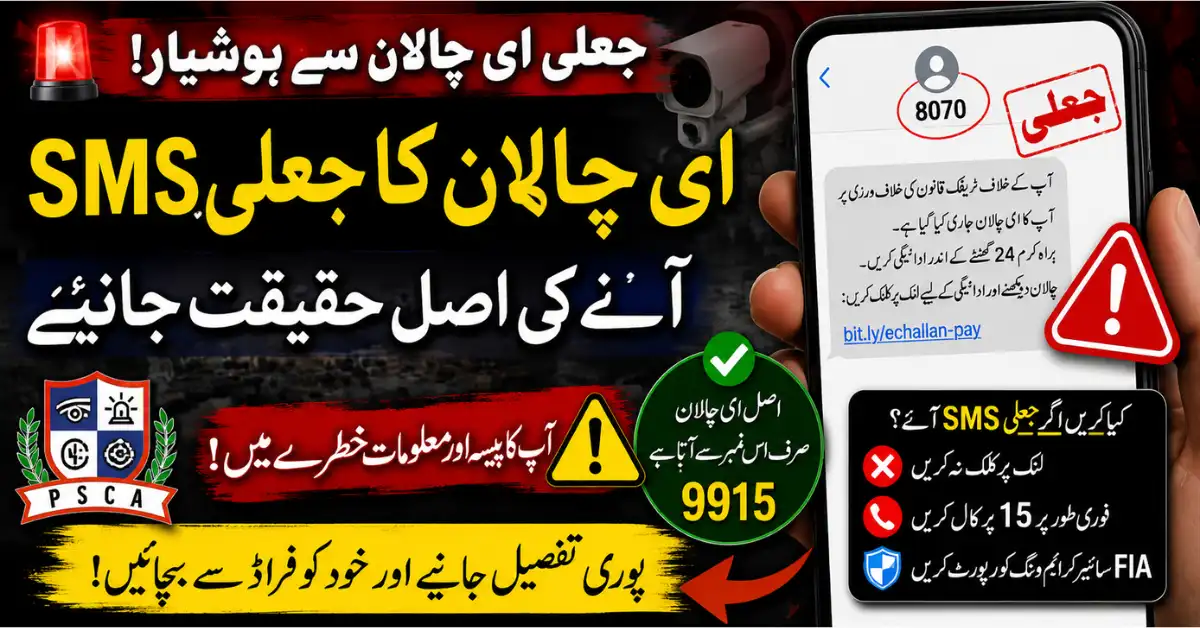
Last reviewed: 14 August 2026. This independent guide explains how to check e-challan information through the official Punjab Safe Cities Authority (PSCA) route and how to protect personal details when a message or link seems doubtful. It does not confirm individual vehicle records, set payment requirements, or replace PSCA instructions.
Why unofficial e-challan messages are risky
A message, social-media post, or caller can claim to be connected with a traffic notice without proving that it is an official PSCA communication. Treat any unexpected link as unverified until you have checked the information through the official PSCA website. A rushed demand for personal details, a password, an OTP, or a payment should be a reason to pause and verify the official route yourself.
The safest approach is to open the official page directly rather than using a link sent to you. This avoids relying on a look-alike website or on a message whose sender cannot be confirmed.
Use the official PSCA route
The Punjab Safe Cities Authority provides an official e-challan search route. Start from the PSCA official website or open the official search page directly at echallan.psca.gop.pk. Check the full address in the browser before entering any information.
This editorial guide is separate from the authority’s systems. The current search-page instructions and any record displayed there are the authoritative reference for a vehicle lookup.
What the official search page asks for
The official PSCA e-challan search page presents a vehicle lookup using a plate number and a CNIC or chassis number. Enter information only on the official PSCA domain. Do not assume that a form on another website is legitimate simply because it uses similar colours, logos, or urgent wording.
- Check the domain carefully: echallan.psca.gop.pk.
- Use your own vehicle details and keep personal information private.
- Read the instructions displayed on the official page before submitting the search.
- Do not provide a password, OTP, or bank credential to complete a vehicle search.
A safe verification checklist
- Type the PSCA address yourself or open it from a bookmark you created from the authority’s website.
- Confirm that the browser address uses the PSCA domain before entering a plate number, CNIC, or chassis number.
- Use only the inputs the official search page displays for the lookup.
- Do not follow a payment or download request from an unverified message.
- Keep a private note of the date of the official search and the wording of any result.
- Return to the official PSCA page if a message appears inconsistent with the information you find there.
Warning signs of a fake link or caller
Be cautious when a link has a misspelled domain, unusual ending, extra words around the PSCA name, or a page that asks for credentials unrelated to a vehicle lookup. Do not share an OTP, banking password, or device-access code with a caller. A person who claims to guarantee a result, remove a record, or arrange a faster outcome through an unofficial channel should not be trusted with your information.
What to save if a result appears
If the official search page displays information, save a private screenshot or note the date, time, and vehicle details used for the search. Keep the record for your own reference and use official PSCA channels for any further clarification. Do not publish a CNIC, chassis number, or screenshot of another person’s record online.
If you are uncertain
Pause before responding to an unexpected message. Open the official PSCA website and the official e-challan search page directly instead. If the situation involves a public-safety issue, use the official contact route shown by the responsible authority. Our Punjab QR Panic Button guide is a separate overview of that public-safety information.
What this website cannot confirm
Govt Schemes Secrets cannot search PSCA records, interpret a specific vehicle result, remove a notice, collect a payment, or give legal advice. Only the official PSCA system and the responsible authority can provide current information about an individual record or the available next step.
Official sources
Editorial contact
If you find an error in this article, please contact the editorial desk with the relevant official source. This website is independent of PSCA and does not represent the authority.