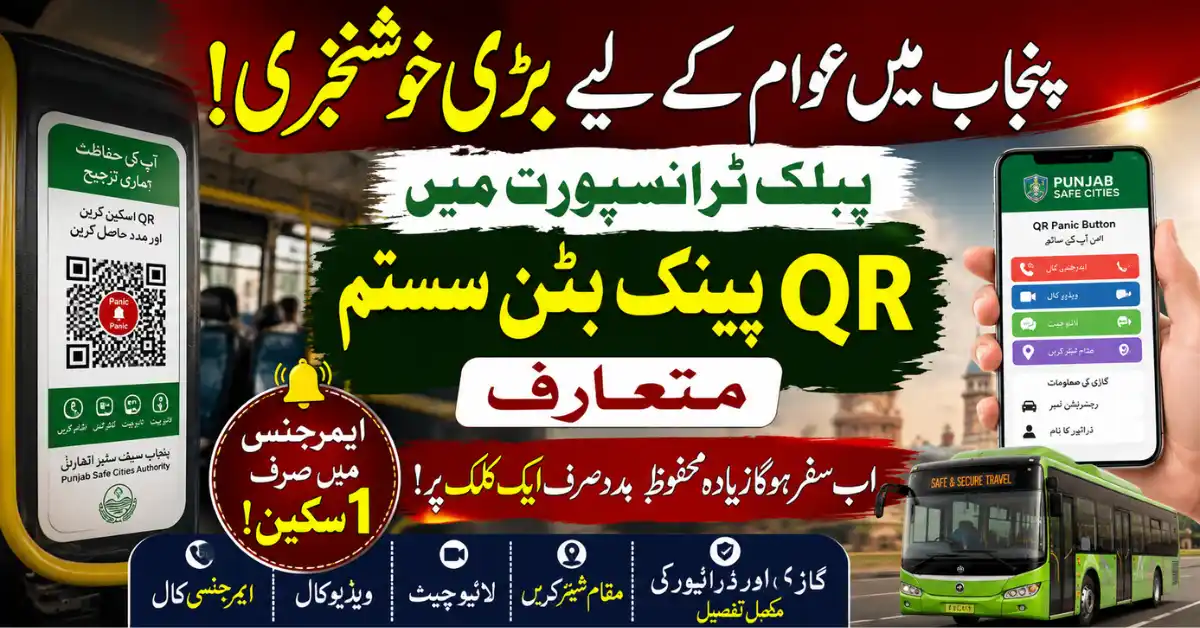
Last reviewed: 13 August 2026. Punjab Safe Cities Authority (PSCA) lists a Panic Button among its public-safety services. This guide explains what the service is intended to do and how passengers should respond in an emergency. Availability, installation coverage, app functions, and local response arrangements can change, so follow the current instructions shown by PSCA or the relevant transport authority.
What is the Punjab QR Panic Button?
The QR Panic Button is part of Punjab’s technology-based public-safety work. PSCA’s official services page lists Panic Button alongside Emergency 15, the Public Safety App, the Virtual Women Police Station, complaint systems, and other public-safety services. The purpose is to provide an additional route for reporting a safety concern and connecting a person with an emergency response service where the system is available.
How passengers should use a QR safety facility
- Look for the official QR or panic-button marking inside the vehicle or at the relevant public facility.
- Scan only the code displayed by the transport operator or public authority. Avoid a loose sticker, shortened link, or message sent by an unknown person.
- Read the page that opens and use only the emergency or report option that is clearly identified as part of the official service.
- If there is immediate danger, move to a safer visible place and contact the appropriate emergency service as soon as possible. Do not delay an emergency call while trying to use a QR function.
- Give the operator or responding authority the route, vehicle number, location, direction of travel, and a short description of the problem where safe to do so.
What the service should not be treated as
A QR panic button is not a guarantee that every vehicle has identical equipment, that a scan will work without mobile connectivity, or that police response will occur without location and incident information. It is also not a replacement for Emergency 15 or other emergency channels. Readers should not enter bank details, OTPs, CNIC information, or payment information into a QR page that is not clearly connected to the official authority.
Who may benefit?
Passenger-safety tools are intended to support people using public transport and other public spaces, including women, children, older passengers, and anyone facing a safety concern. The exact coverage and functions may vary by city, route, vehicle, and implementation phase. A blog should not claim universal installation or list a fixed number of vehicles unless the responsible authority publishes that figure.
What to do if a QR link is broken or suspicious
- Do not download an unknown app or grant unnecessary permissions.
- Do not submit personal or financial information to a copied page.
- Take note of the vehicle or route details if safe.
- Use the official PSCA website and the relevant emergency channel to report a malfunction or safety incident.
- For a life-threatening situation, prioritise immediate emergency assistance rather than troubleshooting the QR code.
Official information
PSCA’s official services page lists Panic Button as one of its public-safety services. The authority’s broader website is psca.gop.pk. Transport-specific instructions may also be issued by a city traffic or transport authority. Check those official notices for current rollout and reporting routes.
Related guides
For other verified public-service information, see our Punjab Bikes guide, BISE Lahore student-services guide, and youth skills and employment guide.
Govt Schemes Secrets is an independent information website and is not PSCA, Punjab Police, or a transport authority. Confirm current features, availability, and emergency procedures through official channels.